moodle-mod_imagemap
Turn an image into a map of your course: each area leads to an activity or section and shows whether it is open for the student.
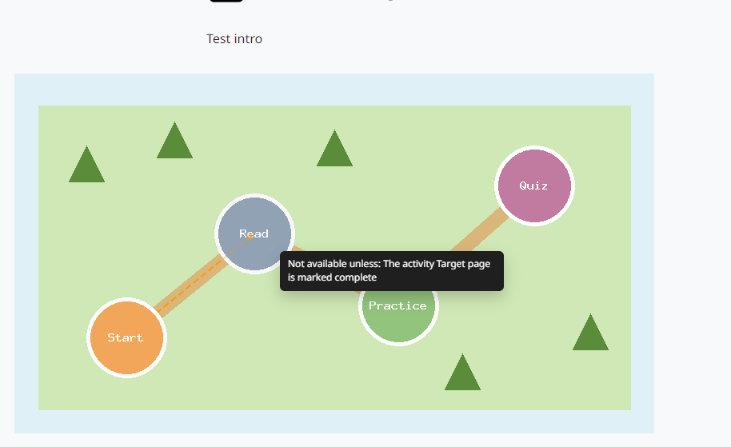
An image map: open areas are shown normally, restricted areas are greyed out, and arrows show the path between them.
Draw on your own image. Rectangles, circles and polygons, moved and resized with the mouse.
Link to activities and sections. Each area opens a course activity or section.
Follows access restrictions. An area whose target is not available yet gets its “inactive” style and, when clicked, tells the student why.
Show the path. Draw arrows between areas to suggest an order.
Style each area. Visual CSS for the active and inactive states, with ready-made examples kept by the administrator.
Versão em português: Português (Brasil).
Contents
Main features
Area editor: select, rectangle, circle, polygon, line and eraser tools on a canvas over the image.
Targets: course activities and sections, including subsections.
Restrictions and completion: the state of each area comes from the availability of its target for the current user; teachers always see every area as active.
Safe CSS: only visual properties are kept; values with
url(),expression(), quotes, braces or comments are dropped.Backup, restore and duplication: areas and lines are kept and their targets point to the activities and sections of the restored course.
Moodle 4.5 LTS and 5.3 LTS: tested on a CI matrix with PostgreSQL and MariaDB.
Links
Source code and issues: https://github.com/moodle-by-kelsoncm/moodle-mod_imagemap
Moodle Marketplace: https://marketplace.moodle.com/plugins/mod_imagemap